Gem Tool Talk
March 9, 2021 · SourceCon Digital Spring 2021 ·
Speakers

About this video
A working sourcer's tour of Gem covers the features actually used day to day, from building outreach projects to reading pipeline analytics that get shared with hiring managers.
- Projects and sequences: candidates get grouped into a project, then moved into sequences so that only a chosen subset receives a given message. Rather than blasting one note to two hundred people, outreach can be tailored to a smaller group who share a background or company, and sequences can be copied and updated for reuse on a new role or date.
- Canned responses: saved replies handle common situations, such as telling candidates a role has closed, so follow-up stays consistent without retyping the same message.
- Reviews: candidates can be routed to a hiring manager or teammate for a quick yes or no, giving managers real-time visibility into a pipeline and helping sourcers get buy-in on hard-to-fill roles before pushing outreach further.
- Prospects tab: imported lists, such as a database export of every resume containing a particular skill, can be sorted and filtered the way a LinkedIn search would be, turning a raw list into a workable pipeline.
- Talent pipeline view: synced with an ATS, this shows candidates color-coded by stage, awaiting feedback, action required, or cleared to move forward, giving a fast snapshot of where every open role stands.
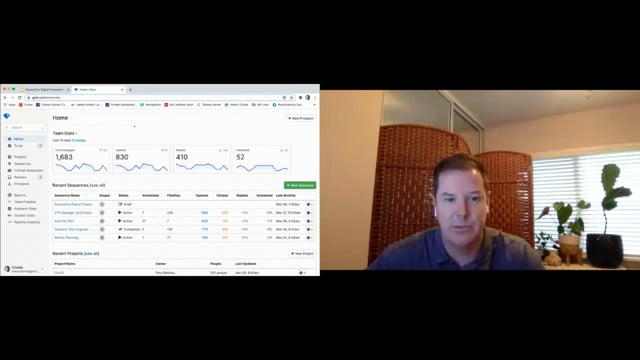
- Outreach stats: month-over-month totals for contacted, opened, replied, and interested candidates help a manager spot productivity dips, such as a slow month, and plan around them.
- Pipeline analytics: a funnel view tracks pass-through rate at each stage, from application to initial assessment, team assessment, on-site, offer, and hire, broken down by recruiter, team, or source, making it easy to see where candidates stall and where a pipeline is converting well.
- Browser sidebar: profile data from LinkedIn or other sites can be pulled directly into a project with one click, saving manual copying when building an outreach list quickly.
Together these pieces replace the patchwork of spreadsheets, ATS notes, and LinkedIn projects many sourcers rely on, giving both the individual recruiter and their manager a shared, accurate view of what outreach has happened and what it produced.
Sponsored by Gem